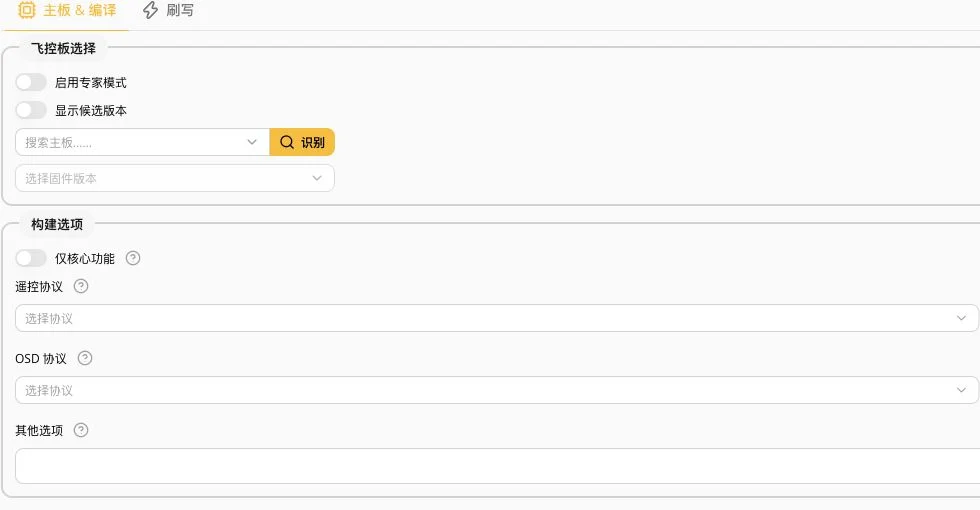
01 / A board revision is more specific than its MCU
F405 identifies an MCU family, while a target identifies a particular board firmware configuration. SpeedyBee specifies SPEEDYBEEF405V3 for its F405 V3 and SPEEDYBEEF405V4 for V4, although both use STM32F405. Matching chips do not justify swapping firmware.
Check the physical model, hardware revision and manufacturer documentation against the existing firmware information. Stop if they disagree. The screenshot shows search candidates, not detected hardware.
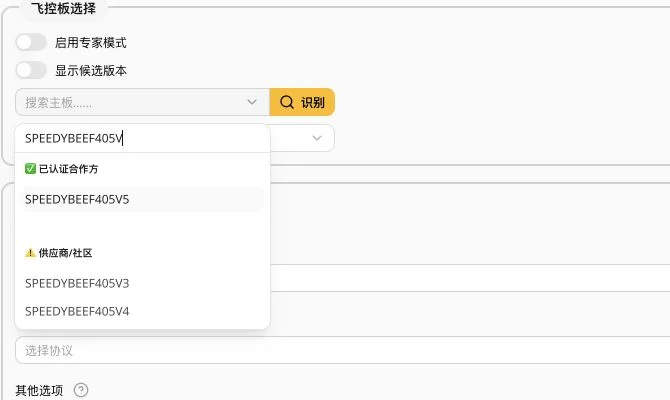
02 / Preserve the working configuration first
For a preconfigured aircraft or controller, inspect its current operation before deciding to upgrade. Flashing can erase the factory configuration.
While the board connects normally, make a Presets backup or save a CLI diff and record the current version, ports and essential settings. Keep the backup on your computer. Review settings individually when changing versions rather than pasting an entire old configuration.
03 / Target, version and features are separate choices
After choosing the correct board, check the required firmware version and release notes. A release candidate is not the default upgrade choice; verify the scope and known issues of any needed new feature.
Cloud-build options determine included features. Choose them for the actual receiver, OSD, VTX control and other devices. Empty fields mean unconfigured, not recommended. A local HEX file also needs a verified source and exact target match.
04 / Loading firmware is not flashing it
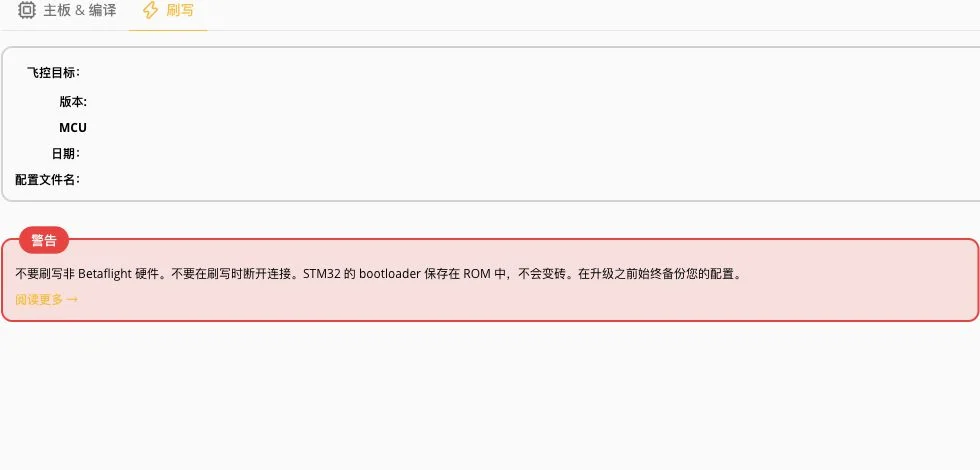
Loading online prepares the firmware file; flashing writes it to the board. Recheck target and version information at the flashing stage and confirm that your backup is saved.
The real screen below has no firmware loaded: target, version and MCU remain blank. It is not evidence of a successful flash. Recovery instructions in a warning are not a reason to bridge unidentified pads.
05 / Final preparation checklist
Confirm the model and revision; match the target to manufacturer documentation; record the version and feature choices; open the saved backup; use a USB data cable; remove propellers.
After flashing, recheck configuration and hardware functions with the appropriate version documentation and build checks. This article explains preparation, not a validated board or aircraft test.
Sources & verification date
Checked 2026-10-13. This is a verified documentation-based tutorial, not a new firmware announcement. Screenshots show Betaflight App 2026.6.2 in Chinese. No flight controller was connected, no firmware was loaded or flashed, and no hardware test was performed.