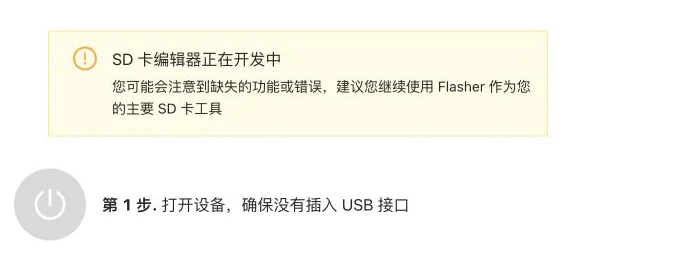
01 / Identify what you are updating
The official EdgeTX download page separates radio firmware, SD-card contents and sound packs. Downloading firmware does not mean the SD resources or audio are updated. Menu language and required spoken prompts are separate choices.
Confirm the exact radio and hardware variant, then read its support information and release notes. STM32H7 radios have a separate update guide; do not copy an older radio’s button sequence or file format blindly.
02 / Preserve an independent backup
The official Buddy update guide recommends connecting in USB Storage mode and copying the entire SD card to a safe location on the computer first. Editorial advice: label the copy with radio, original firmware and date, and keep an untouched copy.
The current Create Backup entry below has no SD card selected. Reaching this screen is not evidence of a completed backup. Check that saved files can be read rather than relying on a button or folder alone.

03 / Confirm model and version before writing
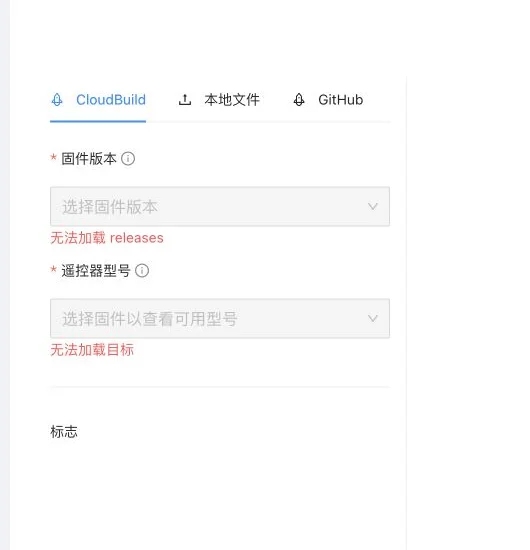
The documented procedure checks firmware version, radio model and device before writing. During this browser session the releases and targets failed to load, so we selected no firmware and connected or flashed no radio.
This is a session observation, not evidence of a global outage or a damaged radio. Editorial advice: wait for the list to recover, or consult the official download links and model-specific installation guide. Similar filenames do not establish compatibility.
04 / Check SD contents and sound files too
The traditional Buddy guide asks you to recheck version, radio and sound language on its SD-content screen. It says default installation files are updated while additional custom files are retained. An independent backup still belongs before any update.
The current online SD editor separately warns that it is under development and recommends Flasher as the primary SD tool. Interfaces differ: read the live warning and the radio guide before proceeding. This article does not demonstrate overwriting local files.
05 / Download complete is not update complete
Editorial checklist: readable backup; matching radio and target file; confirmed write result; actual version checked after restart; then models, sticks, switches, audio and link settings reviewed. Follow official instructions for any required driver or boot mode.
Complete ground control and failsafe checks before preparing to fly. This article covers update preparation, does not guarantee compatibility, and does not present screenshots as a successful radio update.
Sources & verification date
Checked 2026-10-16. Practical tutorial, not a release announcement. MINIFLYGO captured the real Chinese-language official Buddy interface that day. No radio connected, local SD directory selected, firmware flashed or hardware tested.