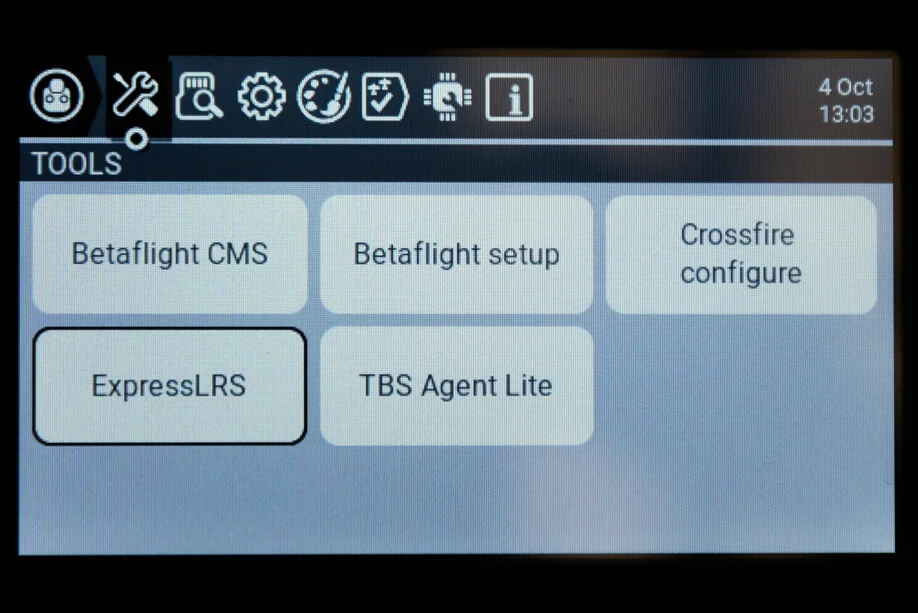
01 / Identify the communication segment
Start at the radio-to-transmitter-module connection when the tool cannot load module information. Do not immediately reflash the receiver. Editorial advice: record the radio, RF hardware variant and EdgeTX/OpenTX and ExpressLRS versions before changing one setting at a time.
Power down the aircraft for this check. Do not change control-link settings during flight.
02 / Check RF selection in the active model
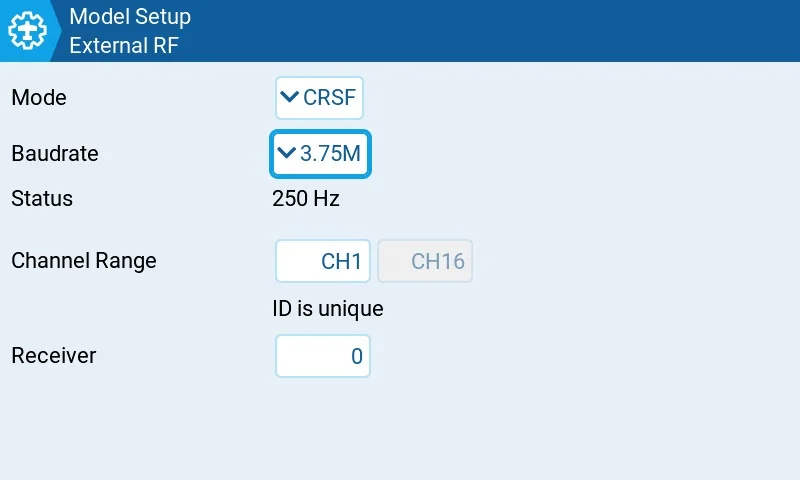
For an external ELRS module, turn Internal RF off and use CRSF for External RF. For an internal ELRS module, use Internal RF CRSF and turn External RF off. Check the model you are actually using.
Confirm the hardware variant: ELRS, 4-in-1 and CC2500 are different. If internal CRSF is missing, consult the radio manual and official Hardware setup rather than assuming hardware from a screenshot.
03 / Check the Lua file and version
Put the official Lua tool in Scripts/Tools on the SD card and run it from the system Tools menu. Key presses and layouts vary with the radio and its firmware.
Match the tool to module firmware. Official documentation distinguishes v2 and v3 scripts and states that 4.0 returns to elrs.lua. Its older v3.0 troubleshooting wording is not a blanket instruction to downgrade every device.
04 / Check baud rate without copying the maximum
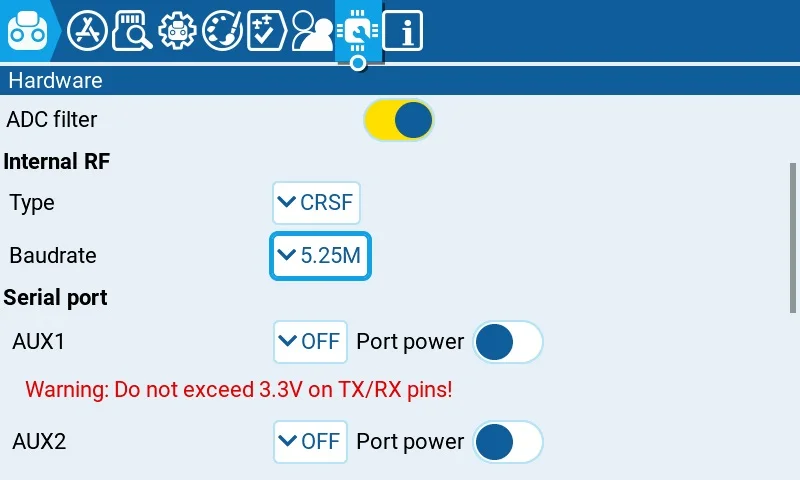
Baudrate controls the radio-to-module serial link; Packet Rate describes over-the-air packets. If the configured model still cannot load the tool, check the supported baud rate in the official guide and reboot after changing it.
The Lua guide states that external modules at 400K support up to 250Hz; 333Hz and above need more than 400K. Older radios have additional limits. Do not copy 3.75M or 5.25M indiscriminately.
05 / Record results and know when to stop
Checklist: correct model, intended RF path, CRSF, matching Lua, supported baud rate and a restart. A working tool confirms only this part of the chain; receiver operation, channels and failsafe still need their own checks.
If Loading persists, retain RF and version-page photographs and the result of each change for official support. This guide does not diagnose a broken device or guarantee that one change will fix every case.
Sources & verification date
Checked 2026-10-15. Practical tutorial, not release news. Images are real historical interfaces from ExpressLRS documentation; use the manual for your radio and firmware. No hardware testing was performed.