01 / Read both installed versions
Record the complete TX module and RX versions. Follow the TX guide for Lua information; Wi-Fi receivers show their version in the Web UI banner. Lua Other Devices receiver queries require an existing connection.

02 / Compare the first number
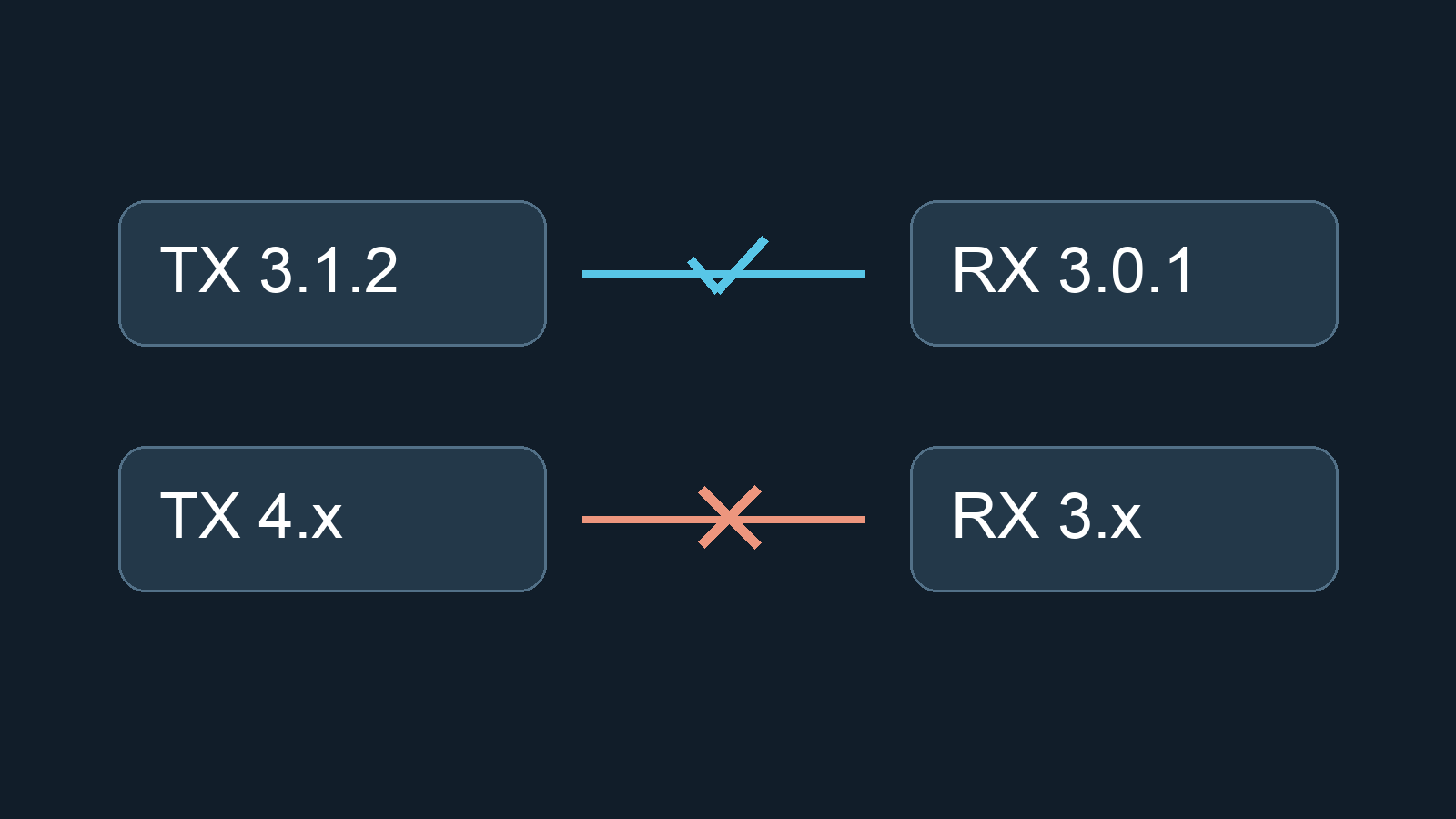
Versions use Major.Minor.Patch. Official examples pair 3.1.2 with 3.0.1, but not 3.2.0 with 2.4.0. The 4.0.0 notes explicitly exclude 3.x, 2.x and 1.x compatibility. Matching binding phrases do not bridge major versions.
03 / Check hardware before firmware
A matching major version is only one check: verify the radio band and binding configuration. Never flash another model target. The 4.0.0 notes remove STM32 hardware support, including R9M, ExpressLRS PP and Ghost; do not apply a generic upgrade plan to these devices.
04 / Identify the receiver type
Standalone UART and SPI receivers use different update paths. SPI ELRS support depends on FC firmware; this tutorial is not an SPI flashing procedure. Check the board documentation and our SPI/UART guide.
05 / Check the result
Editorial checklist: read both versions again, verify target, band and binding settings, then check stick response and failsafe with propellers removed. A connected indication is not a control test. Keep the original configuration and investigate mismatches before reflashing.
Sources & verification date
Official sources checked 9 October 2026. A compatibility tutorial, not recent release news; no hardware tests performed. Primarily for standalone UART ExpressLRS receivers; SPI support must be checked against FC documentation.